
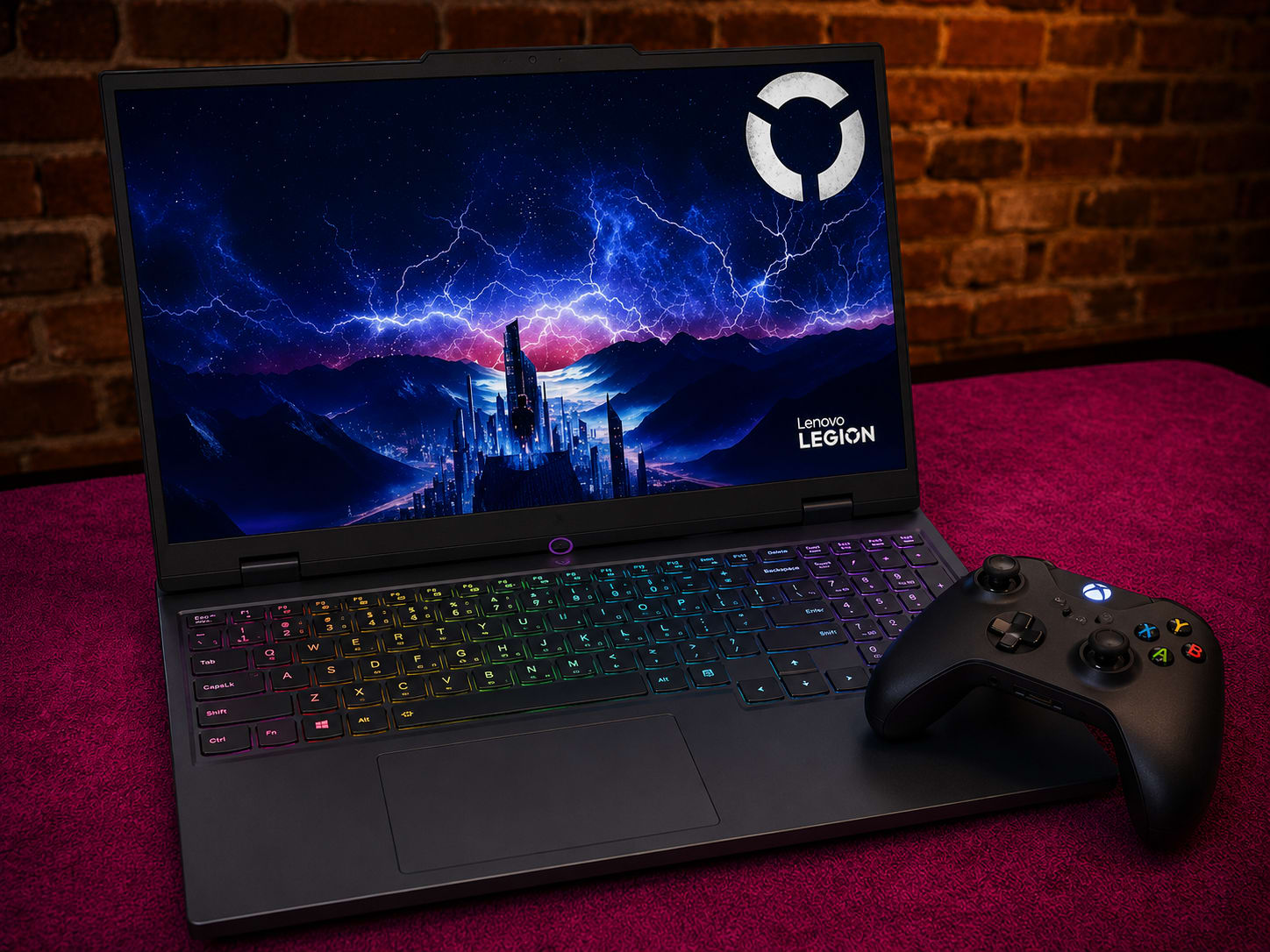
Our Picks
What Changed
You do not need to spend $3,000 for a gaming laptop that lasts. The $1,500 to $2,500 range in 2026 is where the math finally works out. Drop below it and the compromises start stacking up: power-limited GPUs, dim 1080p panels, single-channel RAM. Climb above it and you are mostly paying a thinness tax for frame rates you will struggle to notice. The middle is the sweet spot, and it is a wide one.
What lives here now would have been flagship money two years ago. RTX 5070 and 5070 Ti GPUs on NVIDIA's Blackwell architecture, OLED panels running at 240Hz, vapor chamber cooling, 32GB of DDR5. The catch is that two laptops can print the same GPU name on the box and game 20 to 30 percent apart. The variable nobody advertises is TGP, the wattage the chassis actually feeds the GPU. A mobile RTX 5070 Ti tops out at 140W; a mobile RTX 5070 tops out at 100W. A thick performance laptop runs its chip near that ceiling, while a slim one throttles it to stay cool. We checked the real number on every pick below.
We narrowed the current $1,500 to $2,500 field to five laptops, each one owning a clear job: entry value, all-round reliability, mid-range OLED, big-screen desktop replacement, and peak performance. If your budget runs lower, our best gaming laptops under $1,500 and durable picks under $1,000 cover that ground. Want near-silent fans or a color-accurate 4K creative panel instead? See our quiet gaming laptops and 4K laptops guides.
What Matters When Buying a Gaming Laptop in This Range
Why GPU Wattage Beats the GPU Name
This is the spec that separates a great buy from a regret. A mobile RTX 5070 Ti runs anywhere from 115W in a slim chassis to its 140W ceiling in a thicker, performance-first design. That 25W swing is worth high single digits to low double digits in sustained frame rates, and it widens the longer you play. The mobile RTX 5070 caps lower, at 100W. Manufacturers rarely print TGP on the spec sheet, and when the number is missing it usually is not flattering, so we dug it out for every laptop here.
Display: Refresh, Resolution, and Panel Type
At this budget, expect 2560x1600 (QHD+) and 165Hz at a minimum. OLED shows up at several price points in this range and earns the upgrade with deeper contrast, better color, and response times under a millisecond. The one real downside is burn-in risk from static elements like game HUDs and the Windows taskbar over years of heavy use. If you grind one competitive title for hours every day, a fast IPS panel sidesteps that worry.
Cooling Decides Whether the Wattage Sticks
A high TGP rating means nothing if the laptop cannot hold it. Thin machines with small heatsinks hit a thermal wall and throttle, often within 20 minutes. Vapor chambers, tri-fan layouts, and large thermal modules are what let a GPU sit at its rated wattage through a three-hour raid instead of a three-minute benchmark. This matters more than peak benchmark scores, which only capture the first few minutes before heat builds.
RAM: Check the Channels and the Capacity
Single-channel RAM costs 10 to 20 percent in GPU-bound games versus dual-channel, and some makers quietly ship 16GB as one stick to hit a price. Confirm dual-channel before you buy. At this tier, 32GB should be your baseline for any machine you plan to keep three years or more.
Lenovo Legion 5i Gen 10 - Best Entry Point
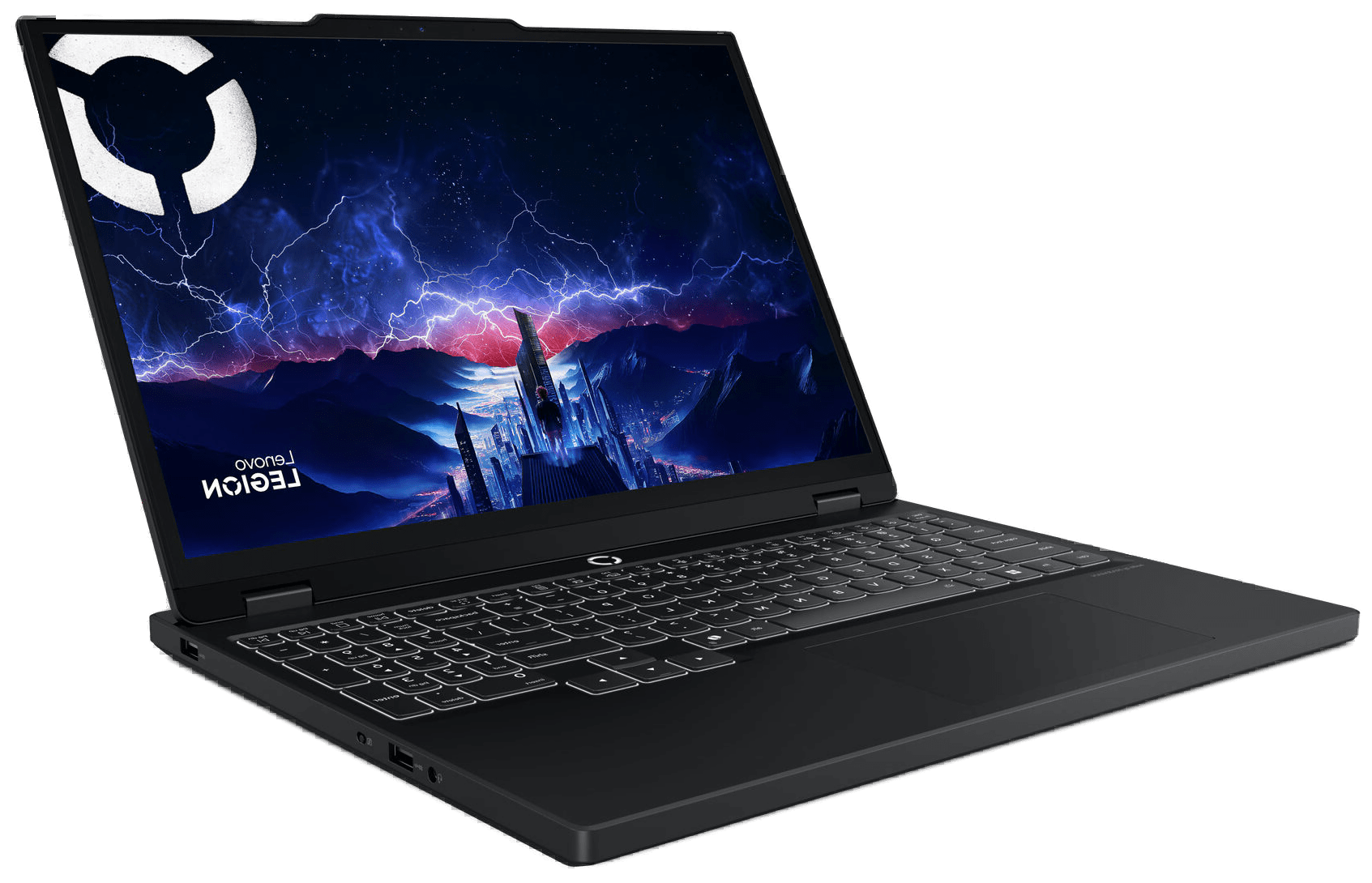
Lenovo Legion 5i Gen 10
The cheapest way into an RTX 5070 with an OLED display. It handles 1440p gaming and doubles as a capable creative workstation, and nothing else at this price matches the screen quality.
Pros
- OLED display with 1,000 nits HDR and 100% DCI-P3 at the lowest price on this list
- Full-power RTX 5070 handles 1440p at high-to-ultra settings in most AAA titles
- Clean, understated chassis that works in professional settings
Cons
- Base config ships with 16GB RAM, worth upgrading to 32GB for a machine you keep 3+ years
- Fan noise gets loud under sustained gaming loads
- Battery drains fast during GPU-heavy tasks
Specifications
An OLED Panel at the Entry Price
The Legion 5i Gen 10 is the cheapest way onto this list, and it spends that budget where it counts: a 15.1-inch OLED running at 165Hz, paired with a full-power RTX 5070. Twelve months ago an OLED gaming laptop with a current GPU did not exist near this price. The panel peaks at 1,000 nits in HDR, covers 100 percent of DCI-P3, and drops response times below a millisecond. Every IPS screen further down this list looks flat next to it.
RTX 5070 Performance and Cooling
The performance keeps pace with the screen. With the RTX 5070 running near its 100W mobile ceiling, the Legion 5i handles 1440p at high-to-ultra settings without dramatic throttling, and the thermals stay composed through long sessions. Tom's Guide handed it a 4.5 out of 5 for exactly this balance of display quality and steady output.
A Chassis That Does Not Shout
It looks like a work laptop. Clean lines, no aggressive vents, no RGB light show across the lid. It passes in a meeting room or a coffee shop. At about 4.6 lbs it is the lightest machine here too, closer to ultrabook territory than the desktop-replacement bricks further down.
Plan for an Upgrade
The base config ships with 16GB of RAM and a 1TB SSD. Both are upgradeable thanks to two SODIMM slots and two M.2 bays, but grab the 32GB configuration at checkout if you can stretch to it, since 16GB is the one spec that will feel tight on a machine you keep for years.
ASUS ROG Strix G16 - Best All-Rounder
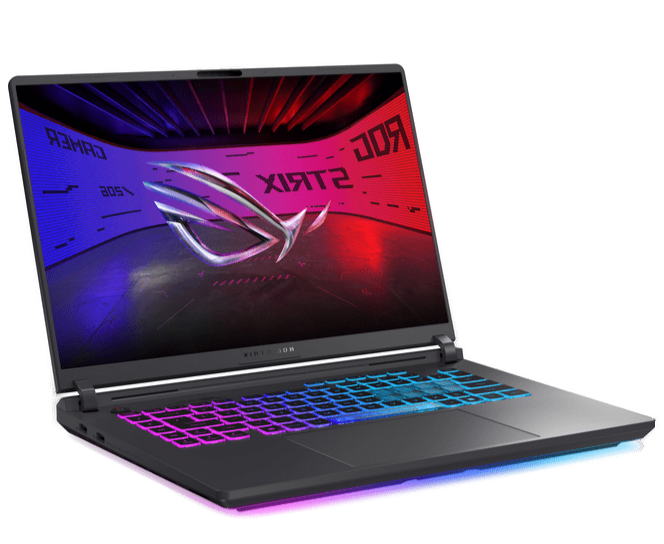
ASUS ROG Strix G16 (2025)
A do-everything RTX 5070 Ti laptop whose real edge is sustained cooling: the tri-fan vapor chamber keeps it from throttling where thinner machines wilt. You pay the most here and skip OLED, but you get the steadiest performance in this group.
Pros
- Tri-fan vapor chamber cooling sustains performance through multi-hour sessions
- Core Ultra 9 275HX handles heavy multitasking and streaming alongside gaming
- Tactile keyboard with per-key RGB is one of the best in this class
Cons
- Fast IPS panel rather than OLED, at a price where OLED is available
- The most expensive laptop on this list
- Chassis design carries over from the previous generation
Specifications
The Steady All-Rounder
The ROG Strix G16 is for buyers who care more about a machine that holds its performance than about chasing the lowest price or the flashiest panel. It pairs an RTX 5070 Ti with a 16-inch QHD+ 2560x1600 240Hz IPS display and a Core Ultra 9 275HX, backed by 32GB of DDR5. On paper that is a fast, balanced spec. In practice the reason to buy it is the cooling.
Tri-Fan Vapor Chamber Cooling
ASUS's ROG Intelligent Cooling uses a tri-fan layout with a vapor chamber, and it is among the best in this price class. Push the Strix hard for hours and it keeps the GPU fed and surface temps in check, where thinner rivals taper off after 15 to 20 minutes. If your sessions run long, that consistency is worth more than a spec-sheet bullet point.
A Genuinely Good Keyboard
The keyboard is a highlight: tactile switches, well-spaced keys, and per-key RGB that does not look like a toy. The light bar along the base is a tasteful touch. For people who type and play in equal measure, it is one of the nicer boards at this price.
What You Give Up
Two things. It is the most expensive laptop on this list, and it sticks with a fast IPS panel rather than OLED. If pure value or an OLED screen is your priority, the Helios Neo just below undercuts it on both. The Strix earns its keep when sustained cooling and a proven chassis matter more to you than saving money or getting OLED contrast.
Acer Predator Helios Neo 16S AI - Best OLED Mid-Range
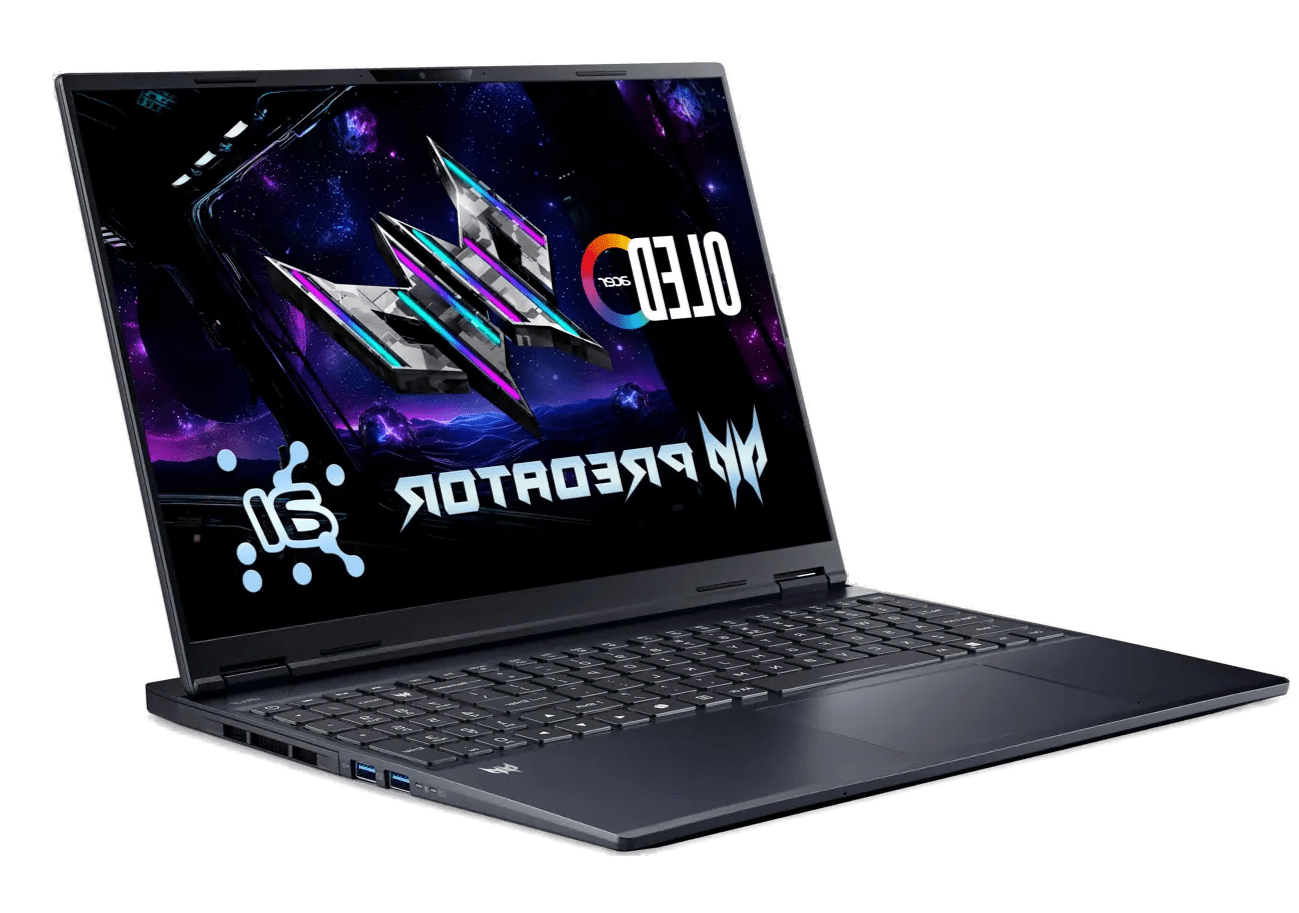
Acer Predator Helios Neo 16S AI
The price-to-performance standout of this list. An RTX 5070 Ti with a 240Hz OLED for the lowest Ti price here makes every competitor look like it left something on the table. The 115W TDP caps peak GPU output, but DLSS 4 closes most of that gap.
Pros
- RTX 5070 Ti with a 240Hz OLED for less than any other Ti machine here, nothing else matches this combination
- Under 20mm thin at ~5.1 lbs, lighter than most laptops with this GPU
- Two M.2 slots and user-upgradable 32GB DDR5 RAM
Cons
- RTX 5070 Ti runs at 115W TDP, lower than what thicker chassis machines pull
- Speaker quality is average for the price
- Fan noise is noticeable under sustained gaming loads
Specifications
The Value Star of This List
The Helios Neo 16S AI is the laptop that makes the others justify their price. It puts an RTX 5070 Ti, a 16-inch 2560x1600 OLED at 240Hz, a Core Ultra 9 275HX, and 32GB of DDR5 into a chassis under 20mm thick, for less than any other 5070 Ti machine here. A 240Hz OLED with a Ti-class GPU at this price is the most aggressive value play in the range.
That 240Hz OLED
The display is the centerpiece. OLED contrast at 240Hz makes AAA games look a clear step beyond what IPS delivers, and with DLSS 4 multi-frame generation switched on, modern titles feel a generation ahead. The color-accurate panel plus the Core Ultra 9's CPU grunt also make it a capable video-editing and creative machine, so it pulls double duty if you create as well as play.
Slim and Genuinely Portable
At roughly 5.1 lbs and under 20mm thick, it is lighter than most performance laptops at this tier and far easier to live with than the 18-inch options. It actually travels.
The 115W Trade-Off
Here is the honest catch. The RTX 5070 Ti runs at 115W in this thin chassis, below the chip's 140W ceiling. Thicker machines like the Legion Pro 7i push the same GPU harder, and in long, sustained runs the gap shows. For sessions of an hour or two, DLSS 4 and the OLED panel more than make up for it. Creative Bloq scored it 90 out of 100, with top marks for the display and value, and we agree: this is the pick most buyers should start with.
ASUS ROG Strix G18 - Best Big-Screen Pick
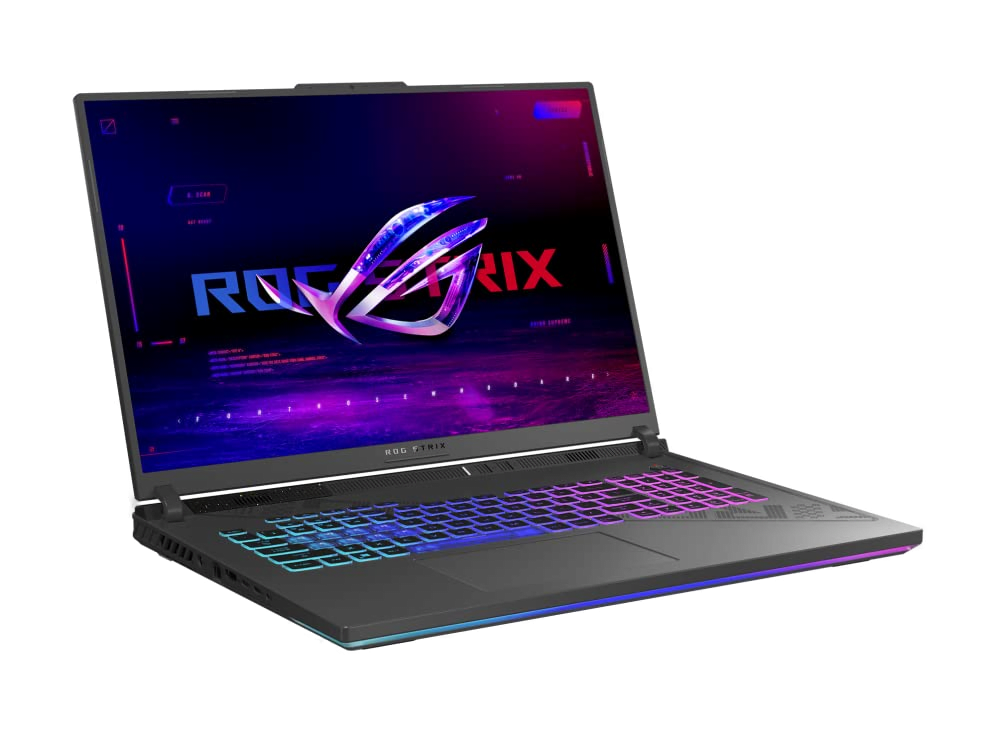
ASUS ROG Strix G18 (2025)
The pick for gamers who treat their machine as a stationary setup. The 18-inch 240Hz display and full-size keyboard deliver a desktop-class experience; the RTX 5070 means you buy it for the screen, not for chart-topping frame rates.
Pros
- 18-inch 2.5K 240Hz Nebula display is the largest and most immersive on this list
- Tri-fan cooling handles sustained loads without constant fan whine
- Full-size keyboard and above-average speakers make it a proper desktop replacement
Cons
- At ~7 lbs, this is a desk machine, not a portable one
- The RTX 5070 runs up to 100W, the least powerful GPU among the upper picks
- Some configs ship with 16GB RAM, which limits multitasking headroom
Specifications
The 18-Inch Desktop Replacement
Some people do not want to game on a 15 or 16-inch screen for hours. If your laptop is going to live on a desk and barely move, the Strix G18 hands you the most screen on this list by a wide margin.
An Immersive 240Hz Nebula Panel
The 18-inch 2.5K 240Hz ROG Nebula display is the whole point. Open worlds get room to breathe, shooters give you a wider field of view, and the UI stops feeling cramped. Paired with a Core Ultra 9 275HX and an RTX 5070, it plays everything at this resolution well. Be clear-eyed about the GPU, though: the RTX 5070 here runs up to its 100W mobile ceiling, which makes it the least powerful chip among the upper picks. You buy the G18 for the screen and the desktop-class feel. Frame-rate records belong to the Legion Pro 7i.
Cooling, Audio, and Storage
The tri-fan cooling keeps fan noise reasonable under load, the speakers are noticeably better than the gaming-laptop norm, and the 2TB SSD gives you real room for a big library before you need to think about upgrades.
The Weight Reality
At around 7 lbs this is not going in a backpack to class, and that is the trade for an 18-inch chassis with proper thermal headroom. If you never need to carry it, you get the biggest, most immersive screen and the most relaxed cooling under $2,500.
Lenovo Legion Pro 7i Gen 10 - Best Overall Performance
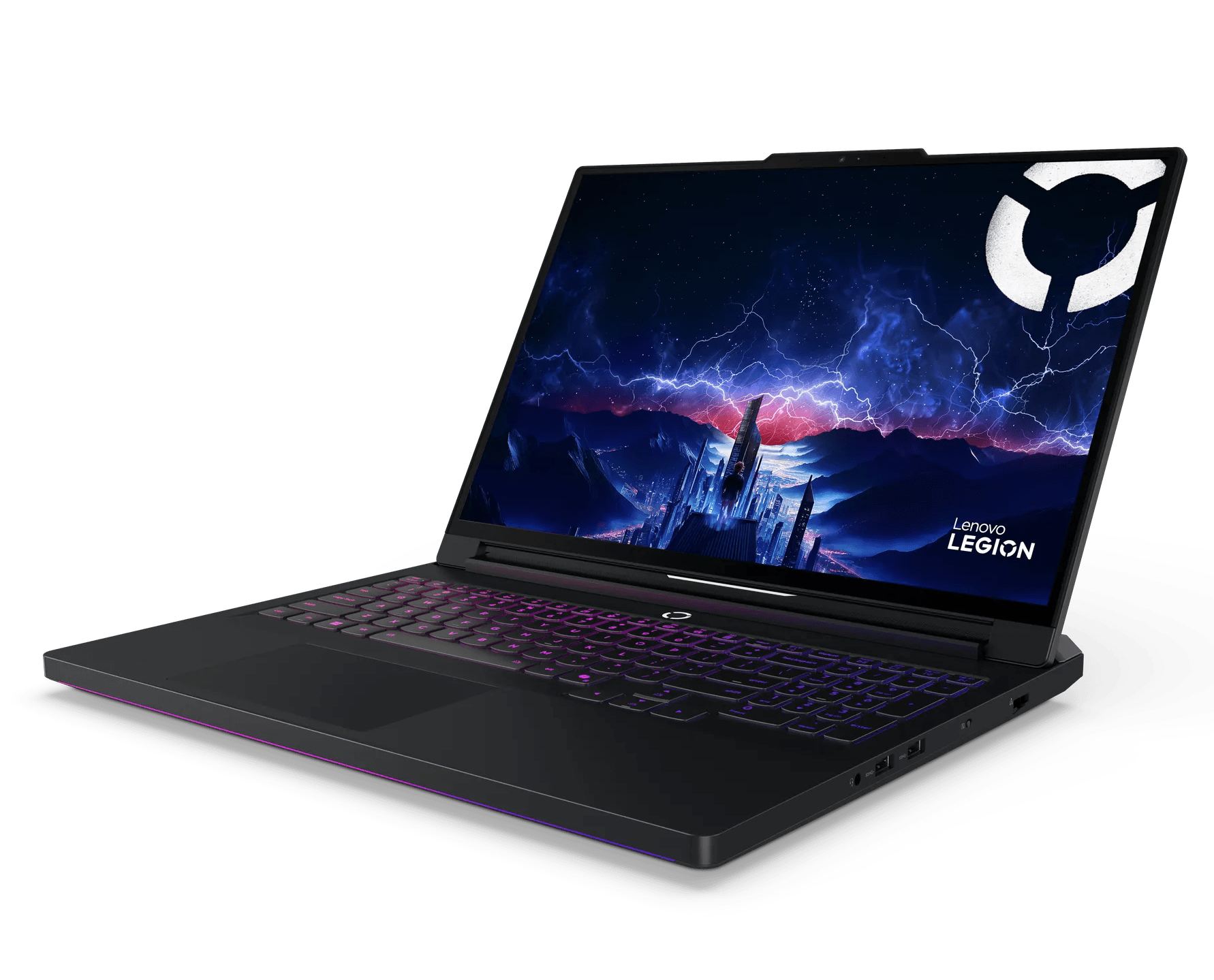
Lenovo Legion Pro 7i Gen 10
The fastest gaming laptop under $2,500. The RTX 5070 Ti runs at higher wattage than thinner competitors, and the 250W vapor chamber keeps it there through extended sessions. Buy this and stop thinking about laptops for three years.
Pros
- RTX 5070 Ti runs at higher sustained TDP than in slimmer machines, producing measurable performance gains
- 250W vapor chamber cooling sustains peak clocks through marathon sessions, not just sprint benchmarks
- 32GB dual-channel DDR5 and Wi-Fi 7 out of the box, no immediate upgrades needed
Cons
- Heavy and thick chassis, not designed to compete with thin-and-light portables
- Battery life reflects its performance-first priorities
- Price can stretch past $2,500 in higher configurations
Specifications
The Fastest Laptop Under $2,500
If raw performance is the goal and everything else is negotiable, the Legion Pro 7i ends the search. It runs the RTX 5070 Ti at its full 140W ceiling, the highest sustained wattage of any machine here, and that turns into real, measurable frame-rate gains in demanding titles over the 115W version in slimmer laptops.
Cooling Built for Marathons
The Legion Coldfront system uses a 250W-class vapor chamber and serious thermal hardware. Where other laptops hold peak clocks for the first five minutes of a benchmark and then back off, this one stays there through multi-hour sessions. That is the difference between sprint numbers and the performance you actually get on a long night.
240Hz OLED and 32GB Standard
The 16-inch 240Hz OLED matches the Helios on paper but sits in a bigger thermal envelope, so the GPU feeding it runs harder. 32GB of dual-channel DDR5 and Wi-Fi 7 ship standard, and the keyboard is among the best on any gaming laptop: tactile, responsive, built for long play.
Weight and Battery
The trade-offs are heft and runtime. This is a thick, heavy machine engineered around sustained power, and the battery reflects that. It will not double as a thin productivity laptop. If you game mostly in one place and want the highest frame rates in this price range, this is the one.
Which One Should You Buy?
- Lenovo Legion 5i Gen 10 if you want the cheapest route to an OLED screen plus a current GPU. Nothing else here matches the panel for the money. Plan a RAM bump early.
- ASUS ROG Strix G16 if sustained cooling and an all-round chassis matter more than price or OLED. It is the steadiest performer in long sessions, and the priciest pick.
- Acer Predator Helios Neo 16S if you want the best value, full stop. An RTX 5070 Ti with a 240Hz OLED for less than any other Ti machine here is where most buyers should start.
- ASUS ROG Strix G18 if the laptop stays on a desk and screen size wins. The 18-inch 240Hz panel is in another class for immersion. Accept the weight.
- Lenovo Legion Pro 7i if sustained frame rates beat everything else. The 140W RTX 5070 Ti and marathon-grade cooling top this range for raw performance.
Still weighing it up? Try the matchmaker below, or browse the rest of our gaming laptop guides.
Product Comparison at a Glance
| Product | Our Score | Brand | GPU (TGP) | Display | Weight | Best For | Action |
|---|---|---|---|---|---|---|---|
#1Lenovo Legion 5i Gen 10 | 9.3 | Lenovo | RTX 5070 (8GB GDDR7) | 15.1" 2560x1600 OLED 165Hz | ~4.6 lbs | Value Entry | |
#2ASUS ROG Strix G16 (2025) | 9.0 | ASUS | RTX 5070 Ti | 16" 2560x1600 IPS 240Hz | ~5.3 lbs | All-Round Gaming | |
#3Acer Predator Helios Neo 16S AI | 9.4 | Acer | RTX 5070 Ti (115W) | 16" 2560x1600 OLED 240Hz | ~5.1 lbs | Value + OLED | |
#4ASUS ROG Strix G18 (2025) | 8.8 | ASUS | RTX 5070 (up to 100W) | 18" 2560x1600 IPS 240Hz | ~7.0 lbs | Big Screen | |
#5Lenovo Legion Pro 7i Gen 10 | 9.5 | Lenovo | RTX 5070 Ti (140W) | 16" 2560x1600 OLED 240Hz | ~5.8 lbs | Raw Performance |