

Our Picks
The Uncomfortable Truth About Standing Desks
Standing desks won't save your life. Let's clear that up first.
A major 2024 study published in the International Journal of Epidemiology, which tracked 83,000 adults in the UK over seven years, found that standing still for hours does not reduce cardiovascular disease risk compared to sitting. In fact, prolonged static standing can increase circulatory issues, such as varicose veins and deep vein thrombosis, by forcing blood to pool in your lower extremities. The standing desk industry spent a decade claiming that sitting is the new smoking and that standing up would magically solve your physical ailments. That was always too simple.
What the clinical research actually supports is frequent movement. Shifting postures by alternating between sitting and standing every 30 to 45 minutes activates the calf muscle pump, which helps blood return to your heart, relieves spinal compression, and improves focus. The real value of an adjustable desk isn't that you stand all day—it's that you can switch positions easily and frequently.
A desk that wobbles when you type, groans under the weight of your gear, or takes too long to raise is a desk you will stop adjusting. Within a month, it becomes an expensive sitting desk. That means the lifting mechanism—the motors, steel frame gauge, lifting columns, and control electronics—is the entire product. The rest is just a wood slab.
What Actually Matters in a Standing Desk
Dual Motors vs. Single Motor Drive
Single-motor desks use one motor linked to both legs by a hexagonal drive rod. They are simpler and work for light setups under 80 lbs, but lifting multi-monitor configurations daily places extreme torque on a single gear system. The motor runs hot, gears wear down, and the hex rod acts as a single point of failure. Dual-motor desks put an independent motor in each leg, perfectly splitting the load. This design runs cooler, adjusts faster, and extends the desk's operational lifespan by years.
The 60% Load Rule for Motor Longevity
Every electric desk lists a maximum weight capacity, typically between 200 and 355 lbs. While these numbers are real, they represent a laboratory rating from a single, controlled lift. In the real world, your desk cycles under load multiple times a day for a decade. To protect the motor brushes and gear teeth from premature wear, keep your daily dynamic equipment load under 60% of the manufacturer's rated maximum. For a 355-lb rated desk, target under 210 lbs of gear.
Lifting Columns: 2-Stage vs. 3-Stage
Two-stage columns use two overlapping steel segments, while three-stage columns use three. Three-stage columns adjust 30% faster, offer a wider range, and allow the desk to drop lower (essential for shorter users). More importantly, three-stage columns have greater overlap between the steel sleeves at standing height, which reduces wobble when the desk is fully extended.
Eliminating Frame Wobble
Wobbling at standing height is a basic physics problem: you are raising a heavy, top-heavy platform 20+ inches on two narrow pillars. Cheap desks use thin, stamped sheet metal and skip structural bracing. To combat wobble, BIFL-grade desks use heavy 11-gauge steel frames, reinforced motor housings, wedge-shaped leg brackets, and wide steel feet. A well-built two-leg desk will still have a tiny amount of natural vibration when shoved, but it shouldn't cause your monitors to shake while typing.
Keypad and Control Box Reliability
The control box—the small microprocessor mounted under the desktop—is actually the most common failure point, not the motors. Cheap, unbranded controllers use low-grade capacitors that burn out after a few years of current spikes. If you buy a generic desk and the controller dies, you won't find a replacement part, turning your electric desk into a heavy table. Buy from established brands that use certified control units and sell individual replacement parts.
The 2026 Shortlist
Four dual-motor desks made our final cut. Each meets the BIFL standard: thick steel frames, certified control electronics, long-term parts availability, and high stability. They are not identical; the right one depends on your height, total weight load, and whether you want a quick 10-minute setup or a highly customizable 15-year warranted workstation.
UPLIFT Desk V3 — The Customization Standard
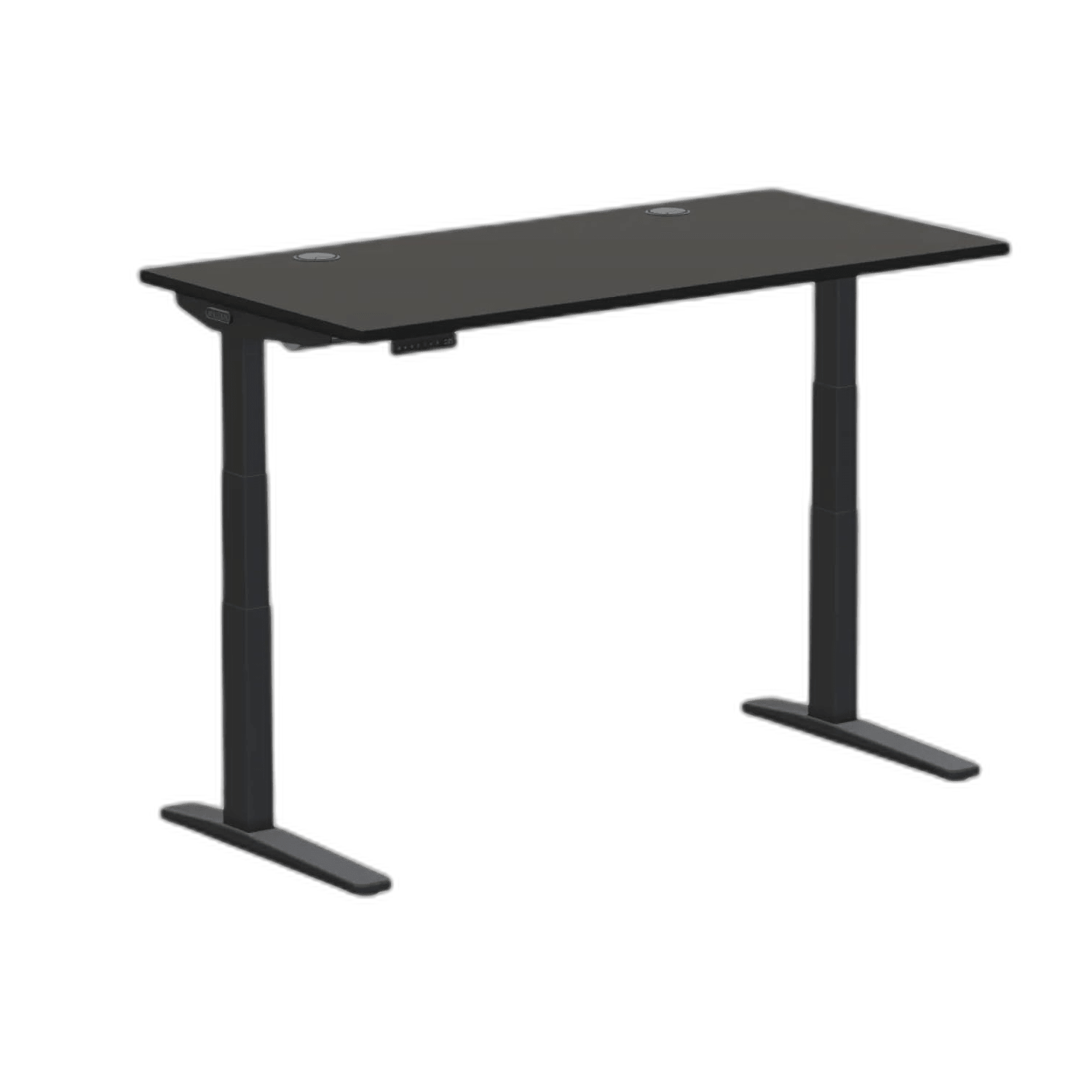
UPLIFT Desk V3 Dual Motor
The gold standard for BIFL standing desks. Its unmatched stability, massive height range, and 15-year warranty make it a generational investment.
Pros
- TremorGuard stability plates eliminate high-height wobble
- Drops down to 22.6 inches for shorter users
- Industry-leading 15-year warranty covers electronics
Cons
- Premium price point
- Accessories can quickly inflate the total cost
The UPLIFT V3 is the current benchmark for stability and custom configurations. Its standout mechanical feature is the reinforced leg-to-frame connection. UPLIFT uses inverted three-stage lifting columns (with the thickest steel stage at the bottom) and pre-installed wedge brackets that lock the legs tightly to the upper frame. At typical standing heights (40 to 45 inches), the desk feels solid with no monitor shaking during heavy typing.
Its height range is another major asset: the V3 drops down to 22.6 inches and extends up to 48.7 inches. That low minimum height means shorter users can sit with their feet flat and shoulders relaxed, a comfort level that competitors starting at 25 inches cannot provide without a footrest.
UPLIFT's 15-year warranty is the strongest in the industry, covering the steel frame, dual motors, keypad, and the control box electronics. In an industry where 3 to 5 years is standard and electronic coverage is often excluded, this 15-year backing is a massive advantage.
The Trade-offs: The base price is premium, and UPLIFT's extensive accessory ecosystem (under-desk hammocks, cable trays, and CPU mounts) can easily inflate the final bill past $1,200. Additionally, some owners note that UPLIFT's warranty claims process can be slow, sometimes requiring you to submit video proof of a mechanical fault before they ship replacement parts.
Vari Electric Standing Desk — The Fast Assembly Tank
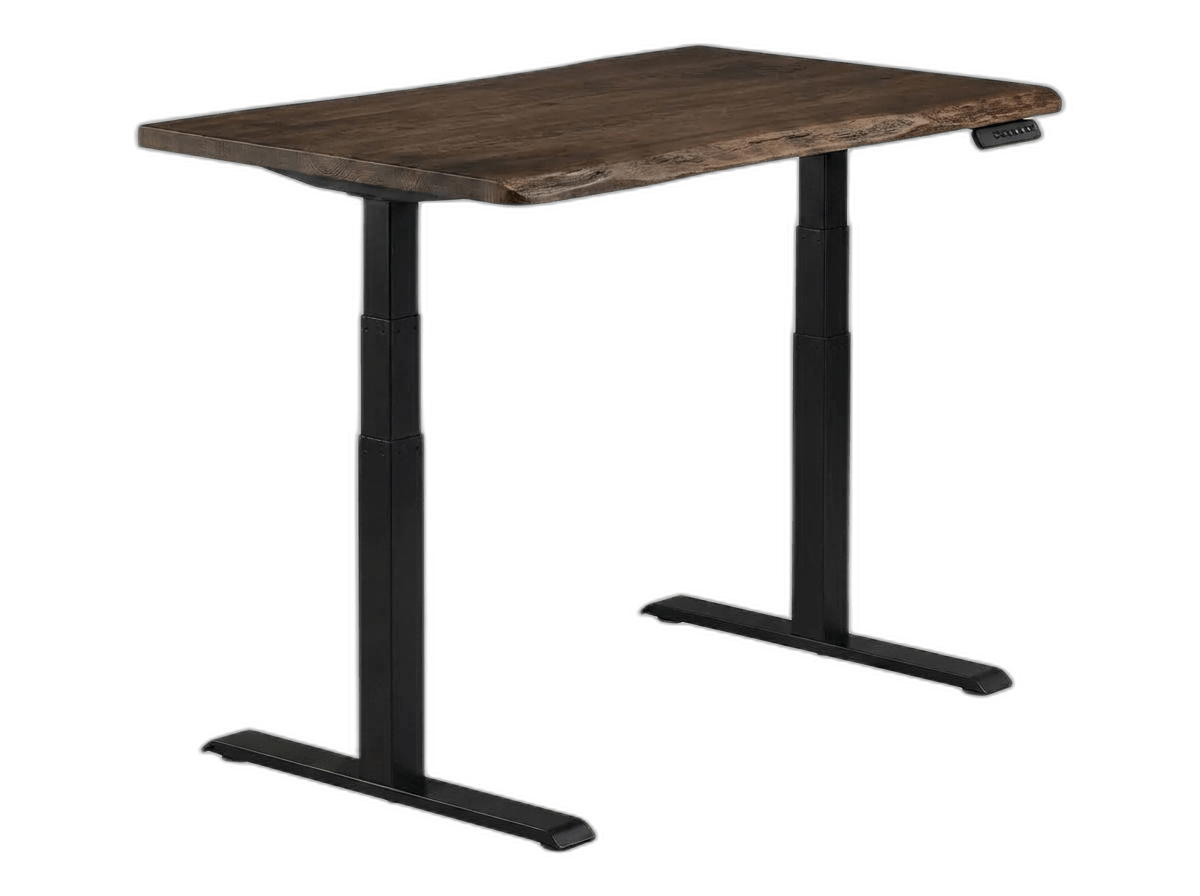
Vari Electric Standing Desk
The perfect desk for those who want corporate-grade durability without the headache of a two-hour assembly process.
Pros
- Patented 10-minute assembly process
- Commercial-grade stability and materials
- Beautiful continuous edge chamfer
Cons
- Crossbar might interfere with very tall users' knees
- More expensive base price
Vari built its reputation by outfitting entire corporate office buildings. That high-volume, commercial heritage is evident in the desk's physical build and incredibly simple setup process.
Assembly is the best in the business. Vari pre-attaches the steel subframe to the desktop at the factory. To set it up, you slide the two leg columns into place and secure them with just eight heavy-duty bolts using a provided T-handle wrench. It takes one person less than 15 minutes from unboxing to plugging it in, completely bypassing the tedious, hour-long assembly process of most modular desks.
The dual motors are quiet and shift smoothly between height presets. The desktop slab is 1.25 inches thick—noticeably beefier than the 0.75-inch tops found on budget options—and features a durable, commercial laminate finish with a curved ComfortEdge front profile to relieve forearm pressure.
Vari backs the desk with a 10-year warranty on the frame and wood top, and a 5-year warranty on the dual motors and electronics. Because Vari is a major commercial supplier, you can be confident they will have compatible replacement parts available years down the road.
The Trade-offs: The desk frame features a low-hanging crossbar connecting the legs. While this adds lateral stiffness, it can limit knee clearance for very tall users (over 6'2") when sitting at a low height. The base height range is also slightly narrower (25.0" to 50.5"), making it less suitable for users under 5'4" without a footrest.
FLEXISPOT E6 Max — The Best Value Heavyweight
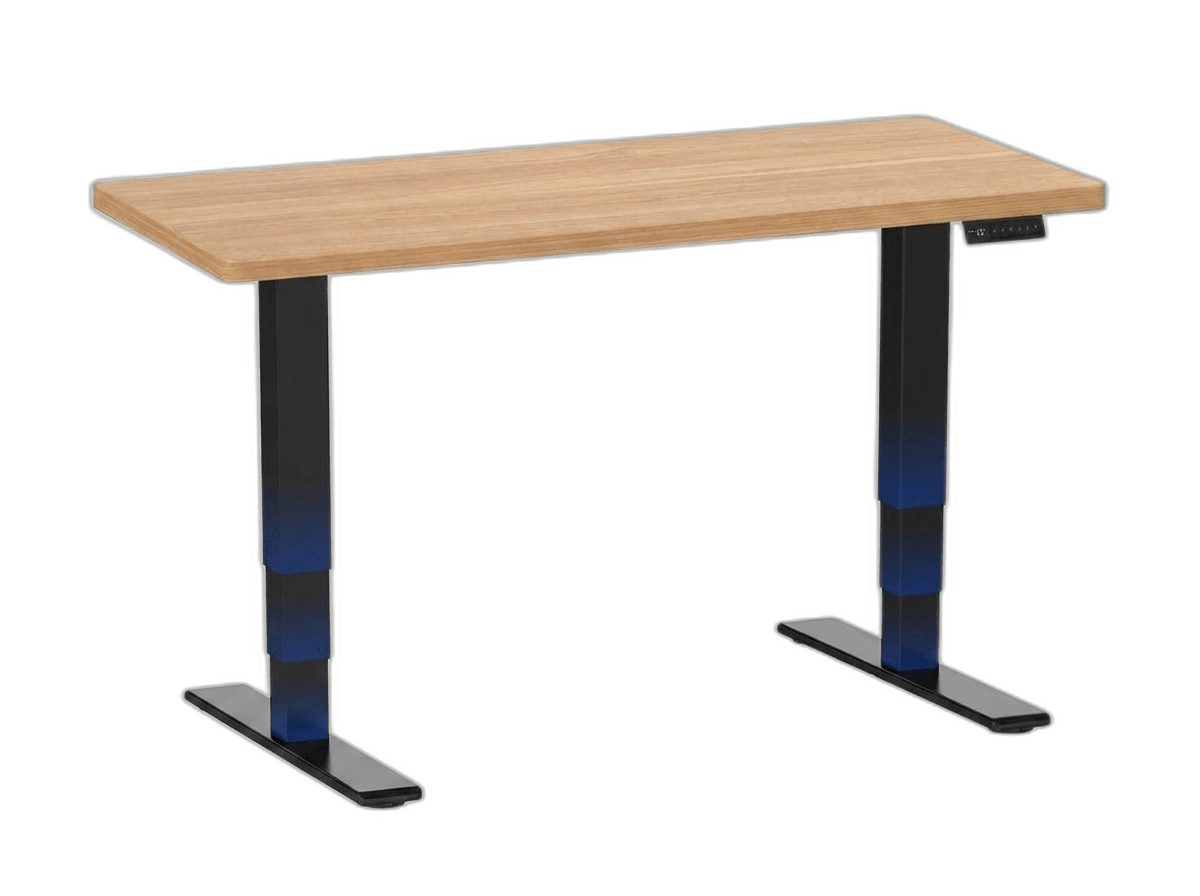
FLEXISPOT E6 MAX Dual Motor
An absolute powerhouse that brings heavy-duty lifting capacity and a seamless desktop to a more accessible price bracket.
Pros
- Massive 352 lb absolute max capacity
- Seamless, one-piece solid slab desktop
- Integrated USB charging port on the keypad
Cons
- Less premium aesthetics than UPLIFT or Vari
- Customer service can be slower
The FLEXISPOT E6 Max represents the value sweet spot, offering premium dual-motor performance, a 352-lb weight capacity, and a 10-year warranty for roughly half the price of the UPLIFT V3.
Its most important feature is the one-piece solid desktop. Most desks in this price range ship the tabletop in two halves to save on shipping costs, leaving a visible seam down the middle that catches your mouse pad and gathers dirt. The E6 Max ships as a single, solid slab, providing a flat, uninterrupted workspace.
The dual motors operate quietly under 50 decibels and lift the desk smoothly at 1.5 inches per second. The advanced keypad includes a programmable sit/stand reminder timer, memory presets, and a built-in USB-A port to charge accessories directly from your desk.
The Trade-offs: While the steel frame is heavy, the E6 Max has slightly more lateral wobble at maximum height (above 45 inches) compared to the UPLIFT V3 or Vari. If you run dual 27-inch monitors on high clamping arms, you will notice some screen vibration during aggressive typing. The plastic casing on the control box also feels cheaper, though it is fully covered by the solid 10-year frame and motor warranty.
ApexDesk Elite Pro Series — The Curved Ergonomic Giant

ApexDesk Elite Pro Series
A tank of a desk with a brilliant ergonomic cutout that makes multi-monitor setups significantly more comfortable.
Pros
- Curved ergonomic front edge for better wrist support
- Crossbar-free design provides massive legroom
- Extremely scratch-resistant high-pressure laminate
Cons
- Desktop is very heavy and hard to move
- Aesthetic is slightly dated
The ApexDesk Elite Pro stands out due to its unique desktop shape: a deep, concave curved front edge. This crescent cutout on the 60-inch desktop allows you to sit 3 inches closer to the desk's center. Your forearms rest fully on the surface, your shoulders drop into a natural position, and your monitors sit closer to your natural field of view. For anyone running massive multi-monitor setups for long creative sessions, this shape provides a major comfort advantage.
The frame uses a single center beam instead of a low-hanging crossbar, leaving the space under the desk completely open. If you are tall and like to stretch your legs forward while seated, this is the only desk on our list that offers zero interference.
The desktop slab is constructed from MDF with a high-pressure laminate (HPL) finish, making it highly resistant to scratches and moisture.
The Trade-offs: Stability is the main trade-off. The Elite Pro uses a wider, two-pillar frame without wedge brackets, making it more prone to wobble at standing heights than the UPLIFT or Vari. The warranty is also the shortest in this group: 5 years on the frame, but only 2 years on the motors and controller. Additionally, the maximum weight capacity is limited to 235 lbs. Applying the 60% rule means targeting an equipment load under 140 lbs, which can be tight if you mount multiple heavy monitors and a gaming PC on the desk.
Desktop Surfaces & Materials: Laminate vs. Solid Wood vs. Veneer
High-Pressure Laminate (HPL)
HPL is the workhorse of the office world. It consists of multiple layers of kraft paper resin-pressed under high heat, topped with a wood-grain or solid-color print and a hard protective wear layer. HPL is extremely durable: it resists scratches, coffee stains, water rings, and fading. It requires zero maintenance and can be cleaned with simple household sprays. For a long-term daily workspace, HPL offers the best durability-to-price ratio.
Solid Wood
Solid wood tops (often made from oak, walnut, or birch) are beautiful, unique, and can be sanded down and refinished if damaged. However, wood is a living material that expands and contracts with changes in indoor humidity, which can lead to warping or hairline cracks if your home gets very dry in the winter. Solid wood is also soft: drop a heavy coffee mug or write directly on a piece of paper, and you can easily dent it. It requires regular oiling and a premium budget.
Wood Veneer and MDF
Wood veneer is a paper-thin slice of genuine hardwood glued to a dense MDF (Medium-Density Fiberboard) core. It gives you the visual beauty of real wood grain at a lower price and remains highly stable because MDF doesn't warp with humidity. The downside is that the veneer layer is thin: a deep scratch will cut through to the MDF underneath, which cannot be easily repaired. It is a solid middle ground if you want the real wood look without the high maintenance.
How to Stop Standing Desk Wobble: A Troubleshooting Guide
1. Level the Floor Glides
Most floors are not perfectly flat. Standing desks feature adjustable leveling feet (plastic glides) underneath the steel feet. If one glide isn't making firm contact with the floor, the desk will rock. Raise your desk to standing height, push it gently, and look at the feet. Adjust the leveling glides until all four sit perfectly flush with the ground.
2. Tighten the Upper Frame Bolts
Standing desks adjust height by sliding telescoping steel tubes. The connection between the lifting columns and the upper steel brackets is secured by heavy hex bolts. Over months of lifting cycles, current vibrations can loosen these bolts slightly. Use your assembly hex key to check and tighten the leg-to-frame bolts every six months. Restoring these connections to full tightness immediately reduces lateral sway.
3. Place the Desk on Hardwood or Low-Pile Carpet
Soft, thick carpet is the enemy of stability. When you raise a desk on high-pile carpet, the fibers act as a soft spring, amplifying every keystroke and arm movement into monitor wobble. If your desk must sit on carpet, place a rigid plastic chair mat under the feet or use carpet spikes to anchor the leveling glides directly to the subfloor.
4. Balance the Weight Load
An unevenly loaded desk wobbles more. If you mount a heavy multi-monitor arm on the extreme back-left corner and place your heavy desktop PC on the left side, you create an unbalanced center of gravity. This forces one motor to lift more weight, accelerating gear wear and increasing sway. Center your monitors and distribute heavy equipment evenly across the desk surface.
Don't Skip These Two Accessories
Cable management tray. Your desk moves 20+ inches vertically. Without a tray to manage slack, raising the desk will rip HDMI and power cables straight out of your monitors. Mount a heavy-duty surge protector to the underside of the desk or tray, plug all your equipment into it, and run a single, thick power cable to the wall outlet. The UPLIFT V3 includes a simple wire tray; for other desks, budget $25 to $40 for a steel under-desk cable organizer.
Anti-fatigue standing mat. Standing on a hard floor for more than 30 minutes causes heel and lower back pain by the end of your first week. A thick 3/4-inch polyurethane foam mat ($40 to $60) cushions your feet, encourages micro-movements in your calves, and makes standing comfortable instead of something you simply endure.
The Decision Framework
The UPLIFT V3 is the straightforward choice if budget is not your primary constraint. Its 15-year warranty on all electrical components is unmatched in the industry, and the wedge-bracket frame design provides the best stability at standing height.
Buy the Vari Electric if you want an easy, stress-free setup. Its patented pre-attached subframe means you can assemble the entire desk in under 15 minutes with only eight bolts, backed by Vari's proven commercial durability.
The FLEXISPOT E6 Max offers the strongest value. You get dual motors, a 352-lb lifting capacity, and a 10-year warranty for roughly half the price of premium competitors, with a solid one-piece desktop.
Buy the ApexDesk Elite Pro if you work long hours and the curved crescent front edge would genuinely improve your arm comfort. Just be aware of the 2-year electronics warranty and the lower 235-lb weight limit.
No standing desk lasts forever; electric motors and control boards have a finite operational lifespan. But a dual-motor desk kept under 60% load will serve you reliably for 8 to 15 years. Paying for thick steel columns and independent dual motors upfront keeps you active and comfortable, saving your back—and your wallet—from cheap replacements.
Product Comparison at a Glance
| Product | Our Score | Brand | Weight Capacity | Height Range | Warranty | Standout Feature | Action |
|---|---|---|---|---|---|---|---|
#1UPLIFT Desk V3 Dual Motor | 9.5 | UPLIFT Desk | 355 lbs | 22.6" - 48.7" | 15 Years | TremorGuard Stability | |
#2Vari Electric Standing Desk | 9.0 | Vari | 200+ lbs (Commercial Grade) | 25" - 50.5" | Limited Lifetime | 10-Minute Assembly | |
#3FLEXISPOT E6 MAX Dual Motor | 8.8 | FLEXISPOT | 352 lbs | 24.4" - 50" | 10 Years | One-Piece Seamless Desktop | |
#4ApexDesk Elite Pro Series | 8.7 | ApexDesk | 235 lbs | 30" - 49" | Varies | Curved Ergonomic Edge |