

Our Picks
Why Most People Buy the Wrong Printer
Walk into any store and the printers are lined up by one number: the price on the box. That is exactly how people end up with the wrong machine. A $60 inkjet looks like a steal until the third time you go to print a boarding pass and get a faded, streaky mess because the ink dried up in the nozzles while you weren't looking. The printer then runs a cleaning cycle, drinks half a cartridge doing it, and you are back at the store buying $50 of ink for a printer that cost $60.
Here is what nobody at the checkout tells you. If you print in bursts, a stack of shipping labels one week, a tax form the next, then nothing for a month, an inkjet is the wrong tool for the job. Get a laser printer instead. Lasers fuse a dry toner powder onto the page with heat. There are no nozzles to clog and nothing to dry out. Leave one untouched in the corner of a spare room for six months, hit print, and the first page comes out crisp and black. Every time.
To put this guide together we read through spec sheets for dozens of current laser models, pulled their long-term running costs apart cartridge by cartridge, and waded through hundreds of owner reviews on Reddit's r/printers alongside independent lab data to separate the workhorses from the lemons. These five earned their spots on reliability, low cost per page, and the kind of boring durability that keeps a printer running for a decade.
Our Selection Criteria: What Actually Matters
1. Cost per page beats the sticker price
A $120 mono printer that burns 6.5 cents of toner per page costs you more over three years than a $180 printer that runs at 3.1 cents. That is the whole game. Before you buy anything, work out the real cost per page on high-yield cartridges, the ones you'll keep buying once the starter runs dry. For black-and-white, anything under about 3.5 cents per page is good. Color is a different animal: even an efficient color laser lands around 12 to 15 cents per page once you feed all four cartridges, so plan to print color only when you genuinely need it. We run through the napkin math near the end of this guide.
2. The third-party toner trap
Printer makers learned long ago that the profit lives in the toner cartridges, and some of them defend that revenue with hostile firmware. A pushed update lands overnight, your printer quietly decides your cheap third-party cartridge is no good, and suddenly you are buying $90 OEM toner you never budgeted for. HP took the most heat for this. But in early 2025 even Brother, long the favorite of the generic-toner crowd, got pulled into a firmware controversy after repair advocates reported that an update degraded print quality and disabled color registration on non-genuine cartridges. Brother denied doing anything deliberate, and the evidence stayed murky. The lesson holds either way: if you rely on generic toner, do not let your printer auto-update its firmware. The cleanest defense is to skip the network and print over a cable. There is a small art to a cable-only setup, and we walk through it in our guide to the best laser printers for USB direct printing. Older platforms, like the toner in our budget pick below, predate most of this chip nonsense and stay friendly to generics.
3. Match the features to what you actually do
Be honest about color. The overwhelming majority of home printing is plain black text: school essays, return labels, the occasional tax form. A color laser adds four cartridges to feed, more moving parts, and a heavier box on your desk for a feature you might use twice a year. Skip it unless you print charts or flyers most weeks. The scanner is the same call. A print-and-scan all-in-one earns its keep if you digitize paperwork, and just collects dust if you don't. Whatever you pick, make sure it speaks AirPrint and Mopria so you can print from a phone without a cloud account or a flaky setup app. If you are still weighing brands, our Brother vs. Epson breakdown digs into who handles toner costs and reliability best.
Brother HL-L2460DW — Best Monochrome Laser Printer for Most People

Brother HL-L2460DW
The absolute best value printer for 90% of home users who just need reliable, cost-efficient black-and-white printing.
Pros
- Extremely low monochrome running costs (3.1¢/page with high-yield TN830XL)
- Very fast 36 ppm print speed
- Rock-solid dual-band Wi-Fi connectivity
- Compact desk-friendly footprint
Cons
- Single-function print-only (no scanner or copier)
- Basic single-line LCD interface
If you want one printer for the whole house and you don't need color, stop here. The Brother HL-L2460DW does exactly one job, crisp black-and-white pages at 36 per minute, and it does it without drama for years. No scanner, no color, no touchscreen to break. Just a fast, dependable text machine.
What makes it the smart buy is the running cost. Load Brother's high-yield TN830XL cartridge and you are printing at about 3.1 cents a page, which is roughly as cheap as home laser gets. It also splits the toner cartridge and the drum into separate parts, so when the toner runs dry you swap a cheap cartridge instead of paying for a whole new drum assembly the way some rivals make you do. Over a few years that gap adds up to real money.
The 250-sheet tray means you are not topping up paper every week, and setup over dual-band Wi-Fi with AirPrint or Mopria takes a couple of minutes. The single-line LCD looks basic next to a touchscreen, and that is fine by us. It is one less thing to fail a decade from now. If your household regularly burns through hundreds of pages a month, our guide to monochrome printers for high-volume use covers higher-duty options, but for most homes this is plenty of printer.
Buy it if: you want a rock-solid, cheap-to-run black-and-white printer for labels, forms, and homework, and you have no need for color, copying, or scanning.
Skip it if: you need to scan receipts, copy IDs, or print anything in color.
Brother MFC-L2900DW — Best Monochrome All-in-One Laser Printer
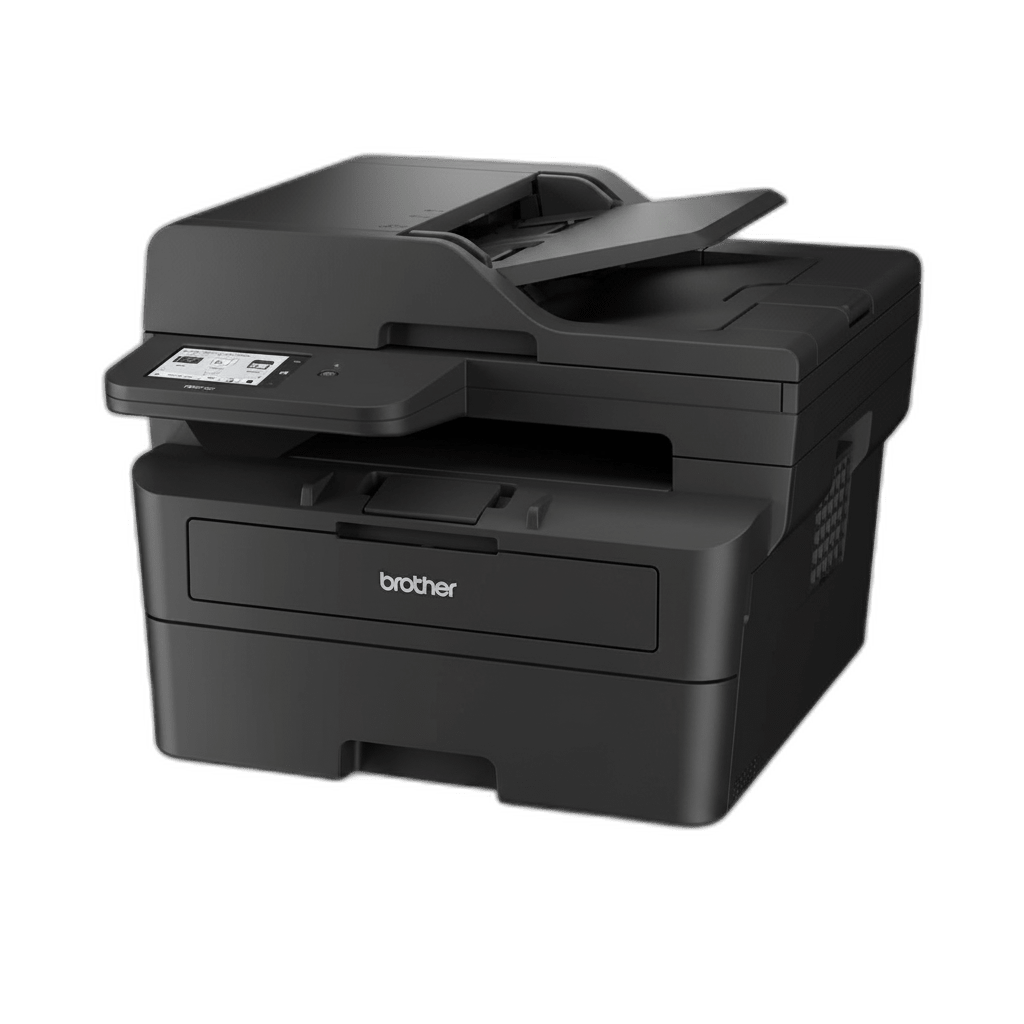
Brother MFC-L2900DW
The perfect all-in-one monochrome printer for home offices digitizing documents and printing high volumes of text.
Pros
- Full monochrome all-in-one features: print, scan, copy, fax
- Fast single-pass duplex scanning 50-sheet automatic document feeder
- Excellent print speed of 36 ppm
- Reliable dual-band wireless and Ethernet connectivity
Cons
- Premium price for a monochrome-only machine
- Single-pass ADF is fast for home use but slower than high-volume office copiers
Want everything the HL-L2460DW does, with a scanner and copier bolted on? That is the MFC-L2900DW. Same fast mono engine, same cheap toner, plus a proper flatbed and document feeder for the paperwork side of running a home.
The upgrade that earns its keep is the 50-sheet automatic document feeder with single-pass duplex scanning. Drop a stack of double-sided tax pages in the tray and it digitizes both sides in one pass: no flipping, no feeding sheets one at a time onto the glass. For anyone who scans contracts, receipts, or school forms with any regularity, that feature alone is worth the step up.
It prints at the same 36 ppm and runs the same TN830 and TN830XL toner as the HL-L2460DW, so your cost per page stays low, roughly 2.5 cents plus a fraction more once you account for the eventual drum swap. A 3.5-inch color touchscreen handles the menus, and it holds a steady connection across phones, laptops, and tablets on the home network.
Buy it if: you scan and copy paperwork regularly and want a fast, durable mono all-in-one that costs pennies a page.
Skip it if: you rarely scan. The print-only HL-L2460DW saves you over a hundred dollars, and a flatbed that just gathers dust is money wasted.
Brother HL-L3280CDW — Best Color Laser Printer for Documents
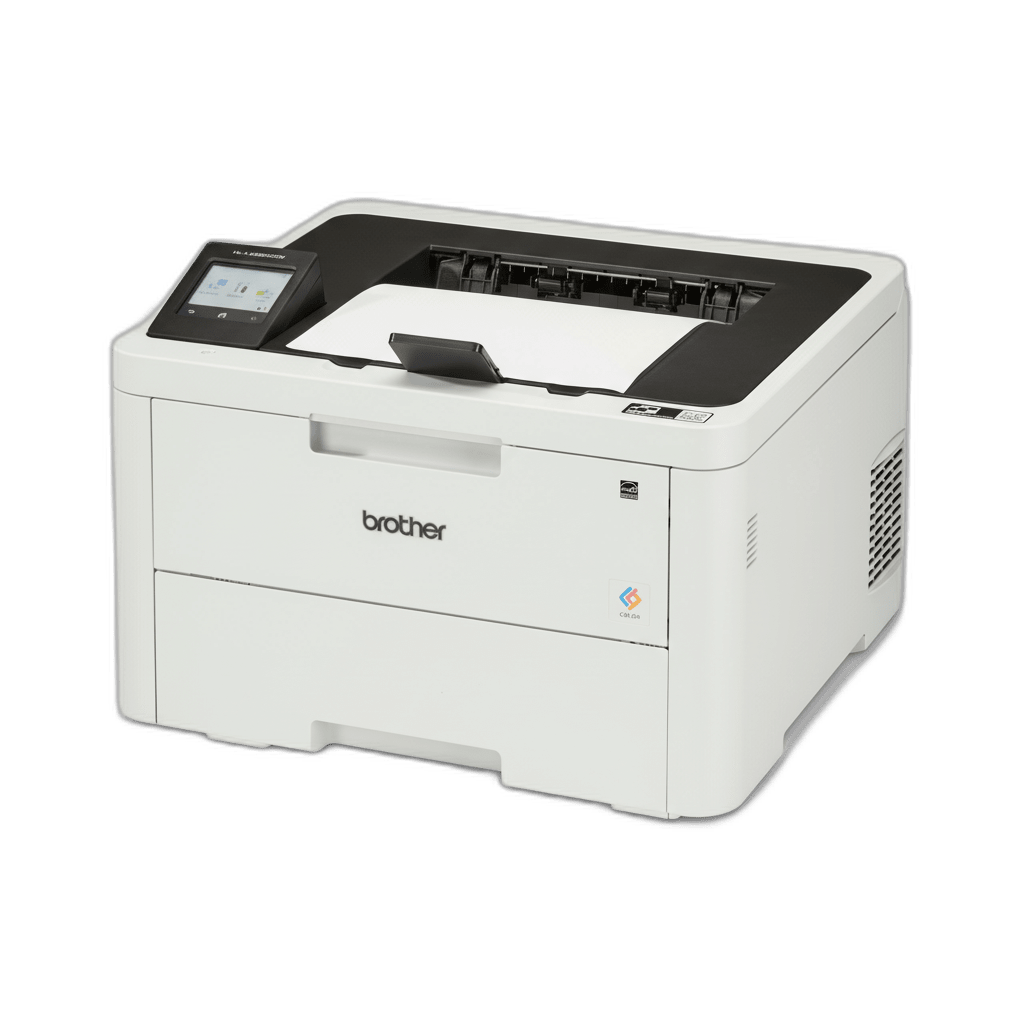
Brother HL-L3280CDW
The most affordable and robust entry point for home users who want high-quality color laser document prints without business prices.
Pros
- Vibrant color LED output under $350
- Generous 250-sheet paper tray capacity
- Quiet, fast digital LED print engine at 27 ppm
Cons
- Single-function print-only (no scan or copy)
- Color running costs are high (~15¢/page)
Sometimes you genuinely need color. A school project, a small-business flyer, a proposal with a branded chart, none of those land right in gray. The Brother HL-L3280CDW is the most sensible on-ramp to color laser, putting vibrant prints on the page for under $350.
Most color lasers steer the beam with a spinning polygon mirror. The HL-L3280CDW uses a fixed bar of LEDs instead. Fewer moving parts in the print path means less to wear out and a quieter machine, and it still turns out pages at 27 ppm in both color and mono. It will even take cardstock through the manual feed slot for greeting cards or report covers.
The catch with any color laser is the toner bill. You are now feeding four cartridges, cyan, magenta, yellow, and black, and a full set of OEM cartridges can cost more than the printer did. Real-world color pages land around 15 cents each. Our advice: leave it set to mono by default and flip to color only when the job actually calls for it. Treated that way, it behaves like a cheap mono printer that happens to do color on request.
Buy it if: you need dependable color for graphics, projects, or flyers and you don't need scanning or copying.
Skip it if: you print color once or twice a year. Keep a mono laser at home, send the rare color job to a print shop, and you will come out way ahead.
Canon Color imageCLASS MF665Cdw — Best Premium Color Laser All-in-One

Canon Color imageCLASS MF665Cdw
The ultimate premium color all-in-one hub for small offices and busy households that need heavy duplex document scanning and crisp color printing.
Pros
- Outstanding 50-sheet single-pass duplex ADF scans both sides simultaneously
- Crisp 1200 x 1200 dpi print engine
- Polished 5-inch customizable color touchscreen
- Zero printhead clogging when left idle — laser toner never dries out
Cons
- Heavy footprint at 48.5 lbs
- Higher cost per page for color toner (OEM ~15¢/page)
If you want a color all-in-one with no compromises and a budget to match, the Canon Color imageCLASS MF665Cdw is the one to beat. It is built like a small-office machine but sized and priced for a serious home setup, landing under $450.
It prints and copies at 26 ppm and lays down a sharp 1200 x 1200 dpi. The standout is the scanner: a 50-sheet single-pass duplex feeder that reads both sides of every page in one go. Less back-and-forth means fewer jams and a stack of double-sided documents digitized in seconds. The 5-inch color touchscreen is the nicest interface in this guide by a wide margin, closer to a smartphone than a printer panel.
Canon keeps toner simple with its 075 and 075H cartridges, which bundle toner and drum together. That makes swaps foolproof, though it nudges your long-term cost up if you print heavily. Two things to know before you commit. This is a heavy unit at 48.5 lbs, so clear it a permanent spot, and color toner still runs around 15 cents a page. On the plus side, Canon backs it with a 3-year limited warranty, where most Brother models here give you one.
Buy it if: you want a heavy-duty color hub with excellent single-pass duplex scanning and a premium touchscreen, and the price doesn't scare you.
Skip it if: desk space is tight, or you would rather not wrestle a 50-pound machine into place.
Brother HL-L2325DW — Best Budget Monochrome Laser Printer
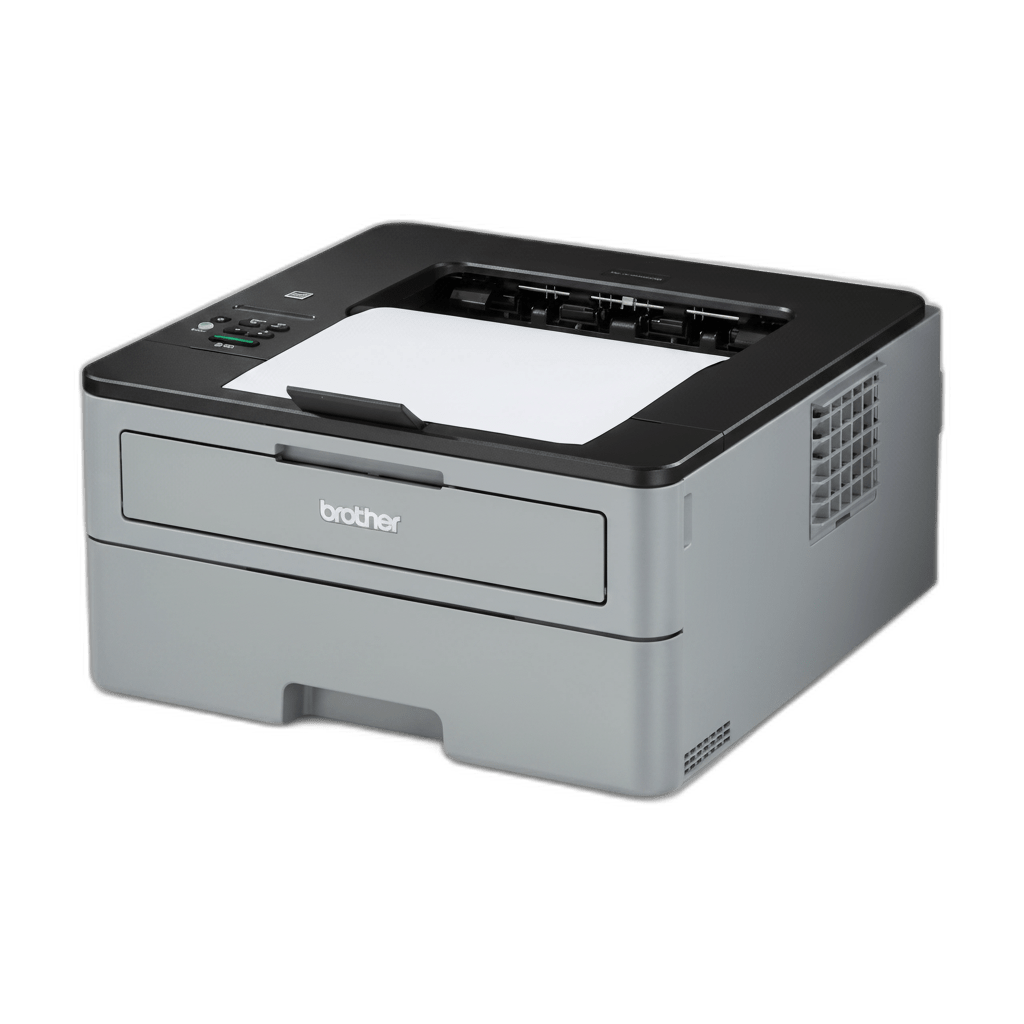
Brother HL-L2325DW
The absolute best budget monochrome laser printer if you want reliable performance and support for low-cost generic toners.
Pros
- Extremely affordable budget entry price
- Solid 26 ppm print speed and 2400 x 600 dpi resolution
- Older TN730/TN760 toner architecture handles third-party cartridges easily
Cons
- Wi-Fi setup can be finicky on modern mesh networks
- Basic 1-line physical LCD, no touch interface
You don't always need the newest model. If you want laser reliability at the lowest sensible price, the older Brother HL-L2325DW still gets it done. Newer models have technically replaced it, but it stays on shelves and often turns up cheaper than the current line, which is exactly why it earns a spot.
Mechanically it is a known-good monochrome engine: 26 ppm and a clean 2400 x 600 dpi. Its real edge is the toner. It runs the older TN730 and TN760 cartridges, a platform that predates most of the aggressive chip-DRM tightening, so it stays genuinely friendly to low-cost third-party toner. High-yield TN760 cartridges put your cost per page around 2.7 cents, and generic options are everywhere.
What you give up for the lower price is polish. You get a basic single-line LCD instead of a backlit display, and the older Wi-Fi radio can be fussy on modern 5GHz mesh networks. The fix is easy: set it up with a USB cable, or push the WPS button on your router and give it a minute. Once it is on, it just runs.
Buy it if: you are on a tight budget, want proven durability, and like the freedom of cheap third-party toner with no DRM headaches.
Skip it if: you want a modern touchscreen, or you need copying and scanning.
The Bottom Line: Which Printer Fits Your Home?
Five solid printers, five different buyers. Here is the short version:
- Most homes should buy the Brother HL-L2460DW. Cheap, compact, ruthlessly reliable, and about 3.1 cents a page. It is the easiest call on this list.
- Need to scan and copy in mono? Get the Brother MFC-L2900DW. Same engine and toner economy, plus a single-pass duplex feeder for paperwork.
- Want color without a scanner? The Brother HL-L3280CDW runs a quiet digital-LED engine at 27 ppm and keeps color affordable as long as you ration it.
- Want the full color all-in-one? The Canon imageCLASS MF665Cdw brings 1200 dpi prints, flawless double-sided scanning, and a 3-year warranty.
- On a tight budget? Track down the Brother HL-L2325DW. Simple, cheap to run, and the friendliest of the bunch toward generic toner.
Still on the fence between mono and color, or print-only versus an all-in-one? Browse the rest of our tech and electronics reviews for more printer buying guides and brand comparisons.
Product Comparison at a Glance
| Product | Our Score | Brand | Print Speed | Function | Toner Cost (Black) | Third-Party DRM | Action |
|---|---|---|---|---|---|---|---|
#1Brother HL-L2460DW | 9.5 | Brother | 36 ppm | Print Only | 3.1¢ (High-Yield TN830XL) | Medium (Chips active) | |
#2Brother MFC-L2900DW | 9.2 | Brother | 36 ppm | All-in-One (Print/Scan/Copy/Fax) | 2.5¢ + 0.9¢ drum | Medium (Chips active) | |
#3Brother HL-L3280CDW | 9.0 | Brother | 27 ppm | Print Only (Color) | 3.0¢ mono, 15¢ color | High (Toner chips active) | |
#4Canon Color imageCLASS MF665Cdw | 9.3 | Canon | 26 ppm | All-in-One (Print/Scan/Copy/Fax) | 3.1¢ mono, 15¢ color | High (Requires chip) | |
#5Brother HL-L2325DW | 8.8 | Brother | 26 ppm | Print Only | 2.7¢ (High-Yield TN760) | Low (Older platform) |