
Our Picks
Introduction
Two years ago, charging a laptop from a portable battery meant watching the "Not Charging" icon blink while your MacBook drained faster than the power bank could feed it. A 45W trickle through a standard USB-C cable barely kept a word processor alive, let alone a code editor with 30 Chrome tabs in the background. The technology simply was not there.
That changed with PD 3.1. The USB Power Delivery 3.1 specification introduced Extended Power Range (EPR), which allows a single USB-C port to push up to 140 watts at 28 volts. To put that in context, 140W is the exact wattage Apple ships with the 16-inch MacBook Pro wall charger. A portable power bank can now match your wall outlet, and the best ones do it while staying under the FAA's strict 100 watt-hour flight limit.
But there is a wide gap between a marketing spec sheet and a power bank that actually delivers 140W for more than five minutes before overheating. Thermal throttling, cheap internal cell chemistry, and misleading "total wattage" numbers plague the budget end of this market. This guide focuses on the five laptop power banks that hold their rated output under sustained load, charge themselves quickly, and survive a TSA checkpoint without getting confiscated.
What to Know Before Buying a Laptop Power Bank
The 100Wh Airline Limit Is Non-Negotiable
The FAA caps carry-on lithium-ion batteries at 100 watt-hours. Cross that line, and security will confiscate it at the gate. This is why every serious laptop power bank targets a capacity between 90Wh and 99.9Wh. Ignore the cheap 40,000mAh bricks on Amazon that sound impressive. Most of them blow past the 100Wh ceiling and cannot legally board a commercial flight.
Watch Out for the Thermal Throttling Trap
Here is the dirty secret of high-wattage power banks: stepping up battery voltage from 3.7V internally to the 28V required for 140W EPR output generates enough heat to trigger automatic output cuts in units without proper thermal architecture. Some models handle this well. Others do not. The CUKTECH 20, for example, advertises 130W output but drops to 60W within 22 minutes of heavy use as the surface temperature climbs past 60°C. Entire Reddit threads on r/UsbCHardware document its boot-looping failures under load. Look for power banks with active thermal management (thermal gel, graphite film, temperature monitoring) rather than just a wattage number on the box.
Your Cable Matters — But Check What's Included First
A standard USB-C cable is only rated for 60W or 100W. To hit the full 140W EPR speed, you need a 240W-rated cable with an internal E-Marker chip. That chip tells your power bank and laptop that the cable can safely handle 5 amps at 28 volts. Without it, your power bank will silently cap itself at a lower wattage. Some models in this guide — including the Anker Prime — ship with a 240W cable in the box, so you are ready out of the packaging. Others, like the INIU B64, include a cable that does not support 140W output. Always check what is in the box before assuming you need to buy one separately.
Self-Recharge Speed Determines Your Workflow
A 25,000mAh power bank holds roughly 90 watt-hours of energy. If it only accepts 65W input, refilling it takes over two hours. That is fine if you charge overnight. It is a dealbreaker if you have a 90-minute airport layover and need a full tank. Models like the Anker Prime (250W dual input, full charge in ~60 minutes) and the EcoFlow RAPID Pro (80% in 20 minutes with its dock) are designed for people who need fast turnaround between uses.
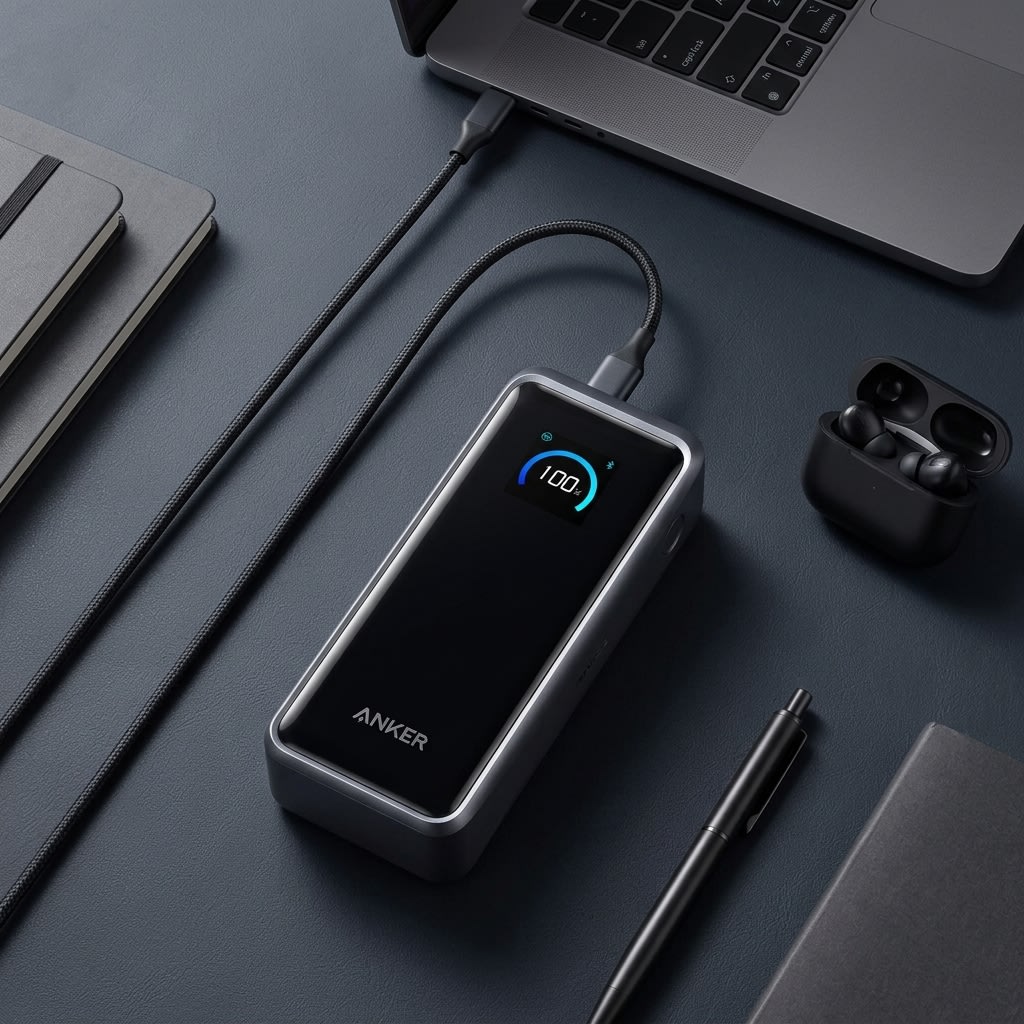
Anker Prime 26,250mAh (300W) - The Benchmark for Sustained 140W Output

Anker Prime 26,250mAh (300W)
The Anker Prime 26K earns its top spot by solving the two biggest problems in portable laptop charging at once: it squeezes every legal milliamp-hour into a flight-safe shell, and it sustains 140W output without thermal throttling. If you need one power bank that charges a MacBook Pro and a Dell XPS back-to-back on a cross-country flight, this is it.
Pros
- Maxes out the 100Wh airline limit at 99.75Wh
- Two independent 140W USB-C ports charge two laptops at once
- ActiveShield 4.0 monitors temperature over 10 million times per day to prevent throttling
- Bluetooth app tracks cell health, temperature, and per-port wattage in real time
Cons
- 600g makes it the heaviest option in this category
- The pogo-pin charging base is a separate purchase and not included
The Anker Prime 26K (Model A110A) is the most technically complete laptop power bank available right now. Its 99.75Wh capacity hits the FAA's flight ceiling with surgical precision, packing every legal milliamp-hour into a battery roughly the size of a thick paperback novel. But capacity alone is not what puts it at the top of this list.
Sustained 140W Output Without Throttling
What sets the Prime apart is sustained output under load. Both USB-C ports are rated for 140W PD 3.1 EPR individually, and independent testing confirms the power bank can hold 140W to a single device for 30+ minutes without thermal throttling. The internal thermal architecture uses thermal gel, graphite film, and Anker's ActiveShield 4.0 system, which monitors temperature over 10 million times per day and adjusts output dynamically rather than hard-cutting power when things get warm.
A Smart Screen and Bluetooth Control That Earn Their Place
The color TFT display is not decorative. It shows per-port wattage, remaining percentage, and internal temperature at a glance. Pair it with the Anker app over Bluetooth and you get cell health monitoring, charging profile switching, and a device locator if you leave it behind.
Rapid Dual-Port Self-Recharging
Recharging the Prime is fast. With dual USB-C inputs accepting 250W total, the unit reaches 50% in just 13 minutes and hits a full charge in approximately 60 minutes — Anker's own published spec. In practice, single-port 140W charging adds a few extra minutes, but total time is still around an hour. The unit ships with a 240W USB-C cable included, so you can charge at full speed straight out of the box.
The Weight and Price Tradeoffs
The downside is weight. At 600 grams, this is not something you forget is in your bag. And the optional pogo-pin charging base, which makes the recharging experience even smoother, is a separate purchase that probably should have been included at the $199 price point.
Anker Laptop Power Bank (25K, 165W) - Kill the Cable Clutter

Anker Laptop Power Bank (25K, 165W)
The A1695 is built for people who are tired of carrying a tangle of cables alongside their laptop charger. The retractable cable pulls out to 2.3 feet, charges most 14-inch ultrabooks at full speed, and tucks back in with a click. At $99, it is the easiest recommendation for anyone who flies more than twice a month.
Pros
- Built-in retractable USB-C cable (2.3 ft) means you never need to pack a separate laptop cable
- Short strap cable (0.98 ft) doubles as a carrying handle and second charging port
- Under $100, making it the most affordable high-capacity option from a major brand
- Smart screen displays battery percentage, port output, and internal temperature
Cons
- All USB-C ports max out at 100W PD 3.0 — will not fast-charge 16-inch laptops at full 140W speed
- If the retractable cable mechanism breaks, that port is permanently lost
If you have ever pulled a power bank out of your backpack only to spend two minutes untangling the USB-C cable from your headphone cord, the Anker A1695 exists specifically for you. It has a built-in retractable USB-C cable that extends to 2.3 feet and locks into place, then retracts with a click when you are done. A second shorter cable runs along the carrying strap at 0.98 feet, letting you charge a phone off the same unit without any extra accessories.
TSA Compliance and 100W Power Delivery
The 25,000mAh (90Wh) capacity keeps it well under the 100Wh TSA ceiling, and the 100W maximum single-port output is enough to charge a 14-inch MacBook Air or most Windows ultrabooks at full speed. It will charge a 16-inch MacBook Pro too, just not at the maximum 140W rate. The machine will still gain charge while in use, which is what matters for a working flight.
Zero-Cable Daily Carry Experience
Where the A1695 beats its competitors is in the daily carry experience. At 595 grams and $99, it is lighter and cheaper than every other option in this roundup. The smart screen shows battery percentage, active output wattage, and internal temperature. There are no dongles to lose, no cables to pack, and no accessories to buy separately.
Long-Term Durability Concerns
The risk with built-in cables is mechanical failure. If the retractable mechanism wears out or the cable itself gets damaged, that port is gone. Treat it carefully and avoid yanking the cable at sharp angles, and it should hold up for years. But if you routinely abuse your gear, a traditional power bank with a separate cable might be a safer bet.
EcoFlow RAPID Pro - A Portable Power Station in Your Pocket

EcoFlow RAPID Pro
The RAPID Pro compresses EcoFlow's portable power station engineering into a power bank form factor. It has the fastest recharge speed in this roundup, true 140W EPR output from a built-in retractable cable, and 4-port simultaneous charging. At $186.99, it is a hard sell for casual travelers, but for photographers, video editors, and field engineers who burn through multiple devices daily, nothing else in this class matches its output flexibility.
Pros
- 300W total output across 4 ports with a built-in retractable 140W cable for instant deployment
- Detachable magnetic case system lets you swap themes and protective shells
- 80% recharge in 20 minutes when paired with the 320W desktop dock
- Dynamic power allocation automatically prioritizes the highest-draw device
Cons
- At $186.99, it still costs significantly more than most laptop wall chargers
- Active Wi-Fi and Bluetooth drain battery during storage if not powered off manually
EcoFlow made its name building solar-powered power stations for RVs and off-grid cabins. The RAPID Pro takes that same engineering philosophy and compresses it into a form factor that fits in a jacket pocket. At 27,650mAh (99.54Wh), it sits just under the flight limit, and its 300W total output across 4 ports matches the Anker Prime for raw power — with the added convenience of a built-in retractable 140W cable so you do not need to carry a separate laptop cord.
4-Port Simultaneous Charging
The port layout is the standout feature: one retractable 140W USB-C cable, one additional 140W USB-C port, and two 65W USB-C ports — all active simultaneously at 300W total. For photographers or developers running a laptop, tablet, phone, and spare battery at the same time, this is the most capable configuration in this roundup. The unit also features a detachable magnetic case system that lets you swap protective shells and color themes, though note that the Qi2 wireless charging and Apple Watch charger accessories are specific to the RAPID Pro X model, not this one.
The Fastest Recharge in This Roundup
Recharge speed is where the RAPID Pro separates itself. Its dedicated 320W desktop charging dock fills the battery to 80% in 20 minutes. A standard 140W single-port wall charger brings that 0–80% time to 40 minutes, which is still faster than any other model in this roundup at equivalent capacity. The dock is a separate purchase.
Active Radio Battery Drain
One real-world quirk worth noting: the RAPID Pro has active Wi-Fi and Bluetooth connectivity for its app. These radios consume a small amount of power even when the unit is not actively charging a device. Get into the habit of fully powering it down through the settings menu or the app when you are not using it for extended periods.
Price in Context
At $186.99 (currently discounted from $219.99), this is the most expensive option in this roundup. It earns the price if you run four devices simultaneously and cycle through a full charge in a single workday. For single-laptop users, the Anker Prime covers the same 140W output — at $199.99, so factor in that the Prime also ships with a 240W cable worth $10–$15, which the RAPID Pro does not include.
UGREEN Nexode 200W 25000mAh - The Dual-Laptop Workhorse

UGREEN Nexode 200W 25000mAh
The Nexode 200W is the power bank you buy when you need two machines running at the same time and you do not care about recharge speed. Where other models cut their secondary port to a trickle when both are in use, the UGREEN holds a steady 100W on each. The slow 65W input is the tradeoff: plan your recharges around long meals or overnight hotel stops.
Pros
- Sustains 100W + 100W across both USB-C ports simultaneously without dropping output
- Automotive-grade 21700 lithium cells provide 1,000+ charge cycles before capacity loss
- High-contrast TFT display shows real-time wattage per port, not just a battery icon
- TSA-compliant at 90Wh with a thick aluminum chassis that doubles as a passive heat sink
Cons
- Self-recharge is capped at 65W input, so refilling takes about 2.5 hours
- Adding a third device via USB-A drops the secondary USB-C port to 20W
The UGREEN Nexode 200W does something most dual-port power banks refuse to do: it holds 100W on both USB-C ports at the same time. Most competitors advertise strong individual port ratings, then drop the secondary port to a trickle the moment two devices are connected. Independent reviewers confirmed the UGREEN's split output using USB power meters under sustained load.
Automotive-Grade Internal Build Quality
The internal build quality supports this claim. UGREEN uses 21700 lithium cells, the same cylindrical format used in electric vehicle battery packs. These cells offer higher energy density and a longer cycle life than the cheaper 18650 cells found in most budget power banks. UGREEN rates this unit for 1,000+ charge cycles before the capacity drops below 80%, which translates to two to three years of daily use before you notice any degradation.
Granular Power Metrics
The TFT display is one of the better implementations in this class. It shows real-time wattage for each active port, remaining percentage, estimated time to empty, and input vs. output status. You can verify at a glance that both of your laptops are getting the 100W they need, rather than guessing based on a blinking LED.
A Slow Self-Recharge Bottleneck
The big tradeoff is self-recharge speed. Input is capped at 65W, which means filling the 25,000mAh battery from empty takes about two and a half hours. For context, the Anker Prime fills in about 60 minutes. If you need fast turnaround between uses, this is a problem. If you charge overnight or during a long dinner, it does not matter at all.
Dynamic Power Shifting
Worth noting: when all three ports are active (two USB-C and one USB-A), the power distribution shifts. The primary USB-C port holds at 140W, but the secondary USB-C port drops to 20W to accommodate the third device. Stick to two ports if you need full dual-laptop output.
INIU B64 PowerNova - Full 140W Output for Under $80

INIU B64 PowerNova
The B64 PowerNova exists to prove that 140W PD 3.1 output does not need to cost $200. At $79, it delivers the same wattage as power banks twice its price. The catch is in the included cable: buy a proper 240W EPR cable separately, because the box cable will limit you to a lower output. Once you do that, this is the strongest price-to-performance ratio in the laptop power bank market.
Pros
- Full 140W PD 3.1 output and 99.9Wh capacity for under $80
- 100W input recharges the entire unit in about 1.8 hours
- Flat, wide form factor slides into a laptop sleeve without adding bulk
- LED display in 'pro mode' shows per-port wattage and remaining runtime
Cons
- Rubberized plastic shell is a fingerprint magnet and scratches easily
- The included cable does not support 140W — a separate 240W EPR cable is required to unlock full speed
The INIU B64 PowerNova answers a question that dominated Reddit's r/UsbCHardware community for most of 2025: does a budget power bank exist that actually delivers 140W PD 3.1 output to a laptop? The answer, with a caveat, is yes.
High Capacity at Half the Price
At $79, the PowerNova costs less than half the Anker Prime and delivers the same 140W from its primary USB-C port. The 27,000mAh (99.9Wh) capacity is the highest in this roundup, sitting right at the legal flight ceiling. It charges a 16-inch MacBook Pro from flat to about 59% in 30 minutes, which is identical to what you would get from a wall charger at the same wattage.
The Included Cable Gotcha
The caveat is the cable. The cable included in the box does not support 140W output. If you plug in your laptop with the included cable, the power bank will silently limit its output because the cable cannot handle the full EPR wattage. You need to buy a separate 240W EPR-rated cable (about $8–$12 on Amazon) to unlock the full 140W speed. This is a cost-cutting decision that trips up a lot of first-time buyers, and INIU's packaging does not make it obvious.
Secret 'Pro Mode' Telemetry
Once you have the right cable, the performance is solid. The LED display has a hidden "pro mode" (hold the power button to activate) that switches from a simple percentage readout to per-port wattage, input/output status, and estimated runtime. The 100W input recharges the full battery in about 1.8 hours, which is competitive with models costing twice as much.
Clear Plastic Compromises
Build quality is the main compromise. The rubberized plastic shell attracts fingerprints like a mirror and picks up minor scratches quickly. It feels noticeably cheaper in hand compared to the aluminum-and-glass construction of the Anker Prime or EcoFlow RAPID Pro. But if your priority is raw watts per dollar, no other power bank in this guide comes close.
How to Calculate Your Laptop's Actual Runtime on a Power Bank
Most buyers look at a power bank's milliamp-hour number and assume bigger is better. That number matters, but it only tells half the story. The other half is how many watts your laptop actually pulls during the kind of work you do.
Step 1: Find Your Real Power Draw
Open Activity Monitor on a Mac or Task Manager on Windows and watch the power consumption graph. A 14-inch MacBook Pro running a browser and a text editor draws about 8 to 12 watts. The same machine compiling a large codebase or rendering 4K video spikes to 70 to 95 watts. The difference between those two scenarios means the difference between five hours of battery life from a power bank or barely one hour.
Step 2: The Runtime Formula
Here is the math: (Power Bank Capacity in Wh × 0.85) ÷ Average Laptop Draw in Watts = Hours of Runtime
The 0.85 factor accounts for energy lost as heat during voltage conversion. For example, the Anker Prime (99.75Wh) powering a laptop at 15W average draw:
(99.75 × 0.85) ÷ 15 = 5.6 hours of office work
The same battery with a laptop pulling 70W during a video export:
(99.75 × 0.85) ÷ 70 = 1.2 hours of heavy workload
Step 3: Match Your Power Bank to Your Work
If you mostly write documents, browse the web, and answer emails, any power bank in this guide will last an entire workday. If you run processor-heavy workflows like video rendering, CAD, or local AI model training, prioritize fast self-recharge speed over raw capacity. You will burn through the battery quickly regardless, so the ability to refill in 20 to 60 minutes matters more than an extra 10Wh of capacity.
Conclusion
The laptop power bank market in 2026 splits into two tiers. At the top, the Anker Prime 26K (300W) and the EcoFlow RAPID Pro deliver true 140W EPR output, fast self-recharging, and active thermal management. The Prime is the better buy for most people: it lists at $199.99 and ships with a 240W cable already in the box, which removes one extra purchase from the equation.
The Anker A1695 is the right call for frequent travelers — the retractable cable removes an entire category of thing to pack. The UGREEN Nexode 200W is for anyone charging two machines at once; it is the only model here that holds 100W on both ports simultaneously without cutting either. The INIU B64 PowerNova costs $79 and delivers 140W PD 3.1 — buy a $10 EPR cable at the same time, because the one in the box will not unlock the full speed.
All five models in this guide stay under the FAA's 100Wh flight limit. All of them support USB-C PD fast charging. The right one depends on how you work, where you travel, and how much you are willing to spend.
FAQ
Product Comparison at a Glance
| Product | Our Score | Brand | Capacity | PD 3.1 Port | Max Output | Weight | Best For | Action |
|---|---|---|---|---|---|---|---|---|
#1Anker Prime 26,250mAh (300W) | 9.7 | Anker | 26,250mAh (99.75Wh) | 140W (PD 3.1) | 300W | 600g | Most Laptop Users | |
#2Anker Laptop Power Bank (25K, 165W) | 9.5 | Anker | 25,000mAh (90Wh) | 100W (PD 3.0) | 165W | 595g | Frequent Travelers | |
#3EcoFlow RAPID Pro | 9.4 | EcoFlow | 27,650mAh (99.54Wh) | 140W (PD 3.1) | 300W | 699g | Off-Grid Power Users | |
#4UGREEN Nexode 200W 25000mAh | 9.2 | UGREEN | 25,000mAh (90Wh) | 140W (PD 3.1) | 200W | 608g | Dual-Laptop Charging | |
#5INIU B64 PowerNova | 9.0 | INIU | 27,000mAh (99.9Wh) | 140W (PD 3.1) | 140W | 624g | Budget Buyers |